DKZ5745
Well-Known Member
So, here we go, don't say I never give you anything........
The latest map updates for the RT6 which were released on 11/5/15.
https://mega.co.nz/#F!IdtS0YwY!PwOZyqfu55nrA8KYBl50gg
This should take you to a download page where you can download all 8 sections (@ 500mb each).
Activation RT6 2015-1 Europe maps:-
1. First try to install new 2015-1 maps without activation code :
A. Just FORMAT your (at least 4GB) USB key in FAT32 format and then copy all files from map RT6 2015-1 maps to USB key:
B. Then just insert this USB key in the USB socket , engine must be running and go to Navigation – Map management – Mapping and Updating - Update map. If your navigation system doesn't required any activation code this will mean, that you don’t need an activation code for these new maps.
........................................................................................................................................................................
2. If your navigation system does require an activation code, then follow these steps :
A. First you must copy all files from folder “RT6 Calculator” on to an empty USB key and then you must add the two files "CCT.DAT.INF" and "CCT.DAT" from the folder RT6 2015-1 maps
B. Then insert this USB key in RT6 unit, engine must running and answer "yes" to the question and you will get your activation key that scrolls across the screen in a few seconds (this is your activation key for your RT6 for 2015-1 maps)!
C. You can now write this key down.
D. Your activation key code is also automatically saved on your USB key into a new file named “License” (save) – leave this file on your USB key.
E. You can now remove the USB key from car, erase all files from USB key except the License file, and copy all files from map RT6 2015-1 maps onto this USB key (with License file included).
F. Then simply put this USB key in RT6 unit and wait for it to be detected OR go to Navigation – Map management – Mapping and Updating - Update map and select the regions/countries you want (it will take around 20 to 25 minutes per region/country – engine must be running, you can drive and do the updates, but remember don’t turn off the engine/car if the update has not completed!!!).
........................................................................................................................................................................
3. Use “java generator” (here you will need the VIN code from your car and the file “CCT.DAT.INF” from the new 2015-1 maps).
........................................................................................................................................................................
To get the RT6 calculator and java generator files, follow this link : http://www51.zippyshare.com/v/1GQVGPWr/file.html
I have to say, I didn't need these files. so I'm not 100% sure about this link, but I'm informed it works fine.
:thumbup:
The latest map updates for the RT6 which were released on 11/5/15.
https://mega.co.nz/#F!IdtS0YwY!PwOZyqfu55nrA8KYBl50gg
This should take you to a download page where you can download all 8 sections (@ 500mb each).
Activation RT6 2015-1 Europe maps:-
1. First try to install new 2015-1 maps without activation code :
A. Just FORMAT your (at least 4GB) USB key in FAT32 format and then copy all files from map RT6 2015-1 maps to USB key:
B. Then just insert this USB key in the USB socket , engine must be running and go to Navigation – Map management – Mapping and Updating - Update map. If your navigation system doesn't required any activation code this will mean, that you don’t need an activation code for these new maps.
........................................................................................................................................................................
2. If your navigation system does require an activation code, then follow these steps :
A. First you must copy all files from folder “RT6 Calculator” on to an empty USB key and then you must add the two files "CCT.DAT.INF" and "CCT.DAT" from the folder RT6 2015-1 maps
B. Then insert this USB key in RT6 unit, engine must running and answer "yes" to the question and you will get your activation key that scrolls across the screen in a few seconds (this is your activation key for your RT6 for 2015-1 maps)!
C. You can now write this key down.
D. Your activation key code is also automatically saved on your USB key into a new file named “License” (save) – leave this file on your USB key.
E. You can now remove the USB key from car, erase all files from USB key except the License file, and copy all files from map RT6 2015-1 maps onto this USB key (with License file included).
F. Then simply put this USB key in RT6 unit and wait for it to be detected OR go to Navigation – Map management – Mapping and Updating - Update map and select the regions/countries you want (it will take around 20 to 25 minutes per region/country – engine must be running, you can drive and do the updates, but remember don’t turn off the engine/car if the update has not completed!!!).
........................................................................................................................................................................
3. Use “java generator” (here you will need the VIN code from your car and the file “CCT.DAT.INF” from the new 2015-1 maps).
........................................................................................................................................................................
To get the RT6 calculator and java generator files, follow this link : http://www51.zippyshare.com/v/1GQVGPWr/file.html
I have to say, I didn't need these files. so I'm not 100% sure about this link, but I'm informed it works fine.
:thumbup:
Attachments
-
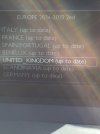 Map updates.jpg246.2 KB · Views: 37,699