What's new
Peugeot RCZ Forum

Register a free account today to become a member. It's free! Once signed in, you'll be able to participate on this site by adding your own topics and posts, connect with other members through your own private inbox and take part in competitions!

NG4 Wip Com 3D - need an image for the HDD

5mapa5

New Member
Joined
Aug 31, 2026
Messages
4
Reaction score
0
Points
1
Location
Germany
Hello everyone,

I am looking for a working HDD image for an NG4 or Wip Com 3D unit. I have a RCZ THP 200 from 10/2010.

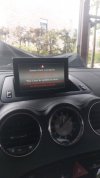
I have a unit that is stuck in a bootloop, meaning it only displays the message that a system check is being carried out and that you should not turn off the engine for at least 25 minutes. However, this message doesn't go away anymore, not even after a long drive. Nor does it go away after disconnecting the battery, pulling the fuse, using the key combination 1, 3, 5, or CD eject and Mute...

I think the HDD has crashed or parts of the partition are damaged. Therefore, I want to install a new HDD or CF card, but for that, I need a working image with the 4 partitions. I think cloning my HDD won't do any good, since the cloned file would then have the same errors...

I would be very grateful if someone had this file or could create it and make it available to me. I really want to get the device working again!

Thanks and best regards from Hamburg
 

Attachments

  • 20260830_112948.jpg
    20260830_112948.jpg
    31.9 KB · Views: 4

5mapa5

New Member
Joined
Aug 31, 2026
Messages
4
Reaction score
0
Points
1
Location
Germany
@NF7
Hello,
I heard from a different forum that you are an expert for the ng4 System in a peugeot rcz?
Maybe you can help me?

Would rske every help I could get.
Thank you!
Greetings from Germany
 

NF7

Active Member
Joined
Apr 15, 2021
Messages
493
Reaction score
241
Points
43
Location
Slovenia
@5mapa5 Did you purchase a new HDD to replace it with?

Simply cloning the image to the existing HDD will not work.
 

5mapa5

New Member
Joined
Aug 31, 2026
Messages
4
Reaction score
0
Points
1
Location
Germany
Hello,
@NF7
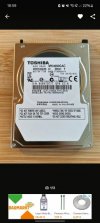
Yes I bought a Toshiba MK4050GAC which should fit.

Yes I think so too, because I would clone a damaged image.
Thats why I need a working image so that I can copy that to the new HDD I bought recently.
Can you help me? Do you have an image?
 

Attachments

  • Screenshot_20260831_185913_Kleinanzeigen.jpg
    Screenshot_20260831_185913_Kleinanzeigen.jpg
    35 KB · Views: 3

NF7

Active Member
Joined
Apr 15, 2021
Messages
493
Reaction score
241
Points
43
Location
Slovenia
Unfortunately no. I'm not sure if anyone has one. Moreover, I do not think you need one even.

New HDD will be empty on first load and the NG4 will detect it. NG4 has a separate storage for recovery files, which should allow your NG4 to format the HDD and then install new update to it.

Just make sure to have USB with the newest update ready. Once the update is installed, its very likely the NG4 will work, you then just need to install the maps and you're probably good to go.
 

5mapa5

New Member
Joined
Aug 31, 2026
Messages
4
Reaction score
0
Points
1
Location
Germany
Unfortunately no. I'm not sure if anyone has one. Moreover, I do not think you need one even.

New HDD will be empty on first load and the NG4 will detect it. NG4 has a separate storage for recovery files, which should allow your NG4 to format the HDD and then install new update to it.

Just make sure to have USB with the newest update ready. Once the update is installed, its very likely the NG4 will work, you then just need to install the maps and you're probably good to go.
Hello,
@NF7
i bought a "new" used one. Should be in good condition.
Thats why i think i have to prepare the hdd.
I would connect it to an ide to usb connector to my computer.
Then i would delete any partition and formate it to fat32 and 64kb.
Then i would change this hdd to my existing one which is dead.

Is that the right way? Or do I have to prepare it differently?
I have prepared a usb stick (8gb, fat32, 64kb) and copied the firmware n42c on it (.def and and 1 folder)
Did you test it yourself? So booting an empty hdd only with the usb stick ans firmware?
Thanks
 
Last edited:
Top